One Podcast Episode into 20 Automatic Clips
A two-hour episode has dozens of standalone moments. Learn how to generate automatic podcast clips with speaker reframe and captions.
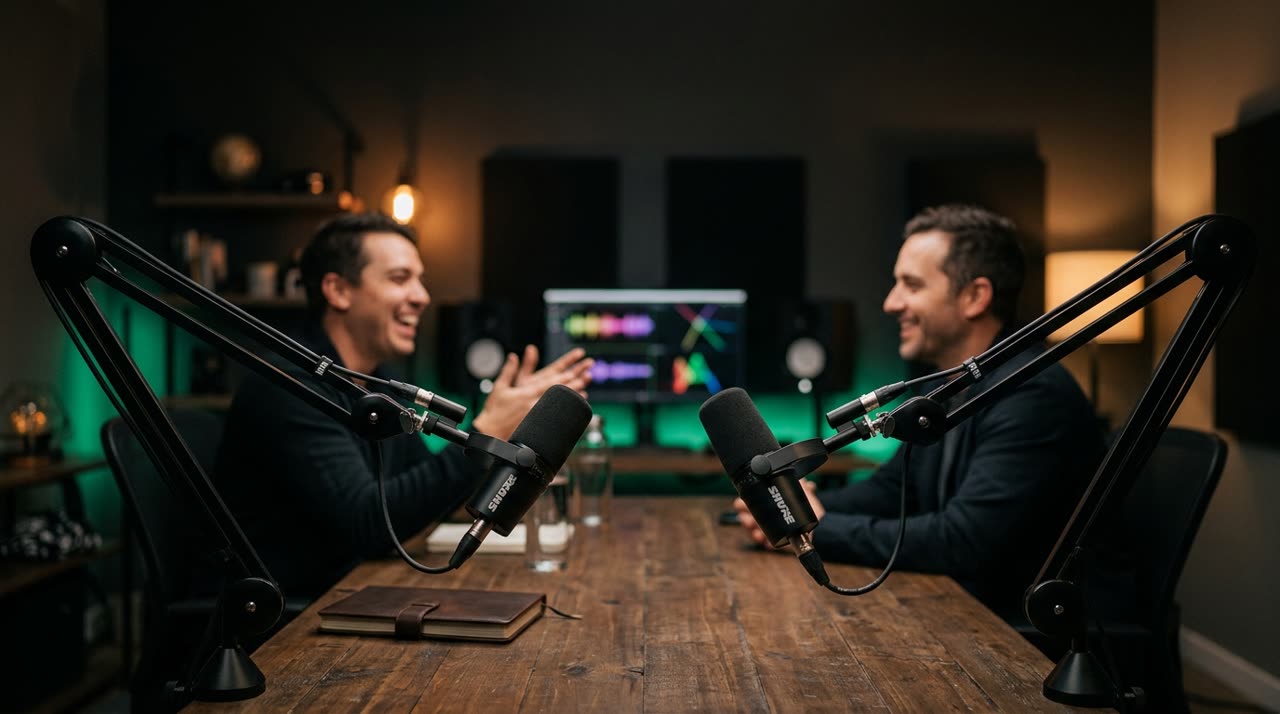
The episode is recorded — now make it work as shorts
You recorded two hours of conversation. There’s stories, hot takes, that one moment where the guest said something worth the whole episode. But the long episode alone mostly reaches people who already know you. New listeners find you through short clips on Reels, Shorts, TikTok.
The usual problem: cutting those clips manually takes more time than recording. That’s why most podcasts just publish the episode and stop there. This guide shows how to turn 1 episode into dozens of automatic podcast clips without becoming an editor.
How Picotta finds the best moments
The core of automatic podcast clips is curation. You paste the episode link (YouTube or direct file) into the clip studio and the AI:
- Transcribes the entire episode, with word-level timestamps.
- Classifies the video — recognizes it’s a podcast/interview and adjusts selection criteria.
- Scores each candidate on four factors: hook in the first seconds, payoff, whether the clip stands alone, and shareability.
- Delivers the best clips already cut, reframed, and captioned.
The AI decides how many clips the episode yields, and the studio returns the highest-scoring segments — each with a visible viral score so you can prioritize what to post first. If you want an exact number, you can lock it in Custom mode.
Curation avoids classic mistakes
A good podcast clip doesn’t start mid-sentence or end before the payoff. Picotta’s curation rejects clips that are just setup without conclusion, avoids back-to-back clips, and looks for different moments throughout the episode so you don’t post ten variations of the same passage.
Reframe that follows whoever’s speaking
Here’s the feature that changes everything in a conversation clip: the face reframe that follows who’s speaking.
In podcasts with two or more participants, cutting a fixed center frame is the worst — you get table shots, no faces. Picotta matches mouth movements with the transcript and reframes the vertical 9:16 clip to follow the current speaker. When the guest answers, the camera shifts to them. When the host speaks again, it switches back.
And when two people appear together and both matter, the studio creates a stacked screen: one on top, one below, each half following its person. It’s the format that works for chats, and it happens automatically.
Clean cuts: no "uhs" or dead air
Conversations have pauses, breaths, "let me think" moments. In short clips, that kills the pace. Clean cuts remove pauses and long silences, so the clip jumps straight to the point. A 40-second clip becomes 34 seconds of dense content — and retention improves.
Each clip comes ready to post
It’s not just the video. Each podcast clip includes:
- Word-synced captions in the style you choose.
- Suggested title, using the speaker’s name when it makes sense.
- Magnetic description with the topic and niche hashtags — with separate tabs for TikTok, Instagram, and Shorts.
- Optional post themes, with your branding (name, @, badge) over the clip.
If you want to standardize the look across episodes, you can save a template with your settings — caption style, theme, framing — and apply it to all future clips with one click.
What if you record live?
Many podcasts stream live. In that case, the live monitor handles everything automatically: you register the channel, stream the episode, and when the live ends, clips appear on the dashboard. We explain the full workflow in how to turn a full live into Reels and Shorts.
Why "1 episode into 20 clips" makes sense
A two-hour episode rarely has just one good moment. There’s the hook at the start, the story in the middle, the hot take, practical advice, the joke that landed. Each works as an independent Reel — and each reaches a slightly different audience.
Posting twenty clips from one episode isn’t repeating the same content twenty times; it’s offering twenty entry points to your podcast. Picotta’s curation helps by finding different moments throughout the episode instead of ten variations of the same passage. And since you pay per minute of source processed, not per clip, making many clips from the same episode doesn’t multiply the cost — the episode is transcribed just once.
Step by step
- Paste the episode link or upload the file in the studio.
- Leave it on recommended mode — the AI decides how many clips the episode yields — or adjust style, theme, and an exact clip count in Custom mode.
- Generate. The curation finds the best moments, the reframe follows who’s speaking, captions are added.
- Review by viral score and publish with the ready-made title and hashtag kit.
Conclusion
A podcast episode is a goldmine of short content — the hard part has always been extracting it without spending all day. With automatic podcast clips, Picotta curates, follows who’s speaking, removes dead air, and delivers dozens of ready-to-post Reels and Shorts from the same episode you already recorded.
See what Picotta can do with your next episode: start clipping for free, check out the podcaster solutions page, or compare the plans.
Pronto pra picotar o seu próximo vídeo?
Cole o link e receba cortes prontos pra postar. Grátis pra testar.
Comece a picotar →Sem cartão de crédito. Cancele quando quiser.