Church Clips: Sermons in Reels That Reach More People
Every service has sermon moments that touch people who’ve never stepped inside the church. Learn how to turn live services into Reels with speaker reframe and captions.
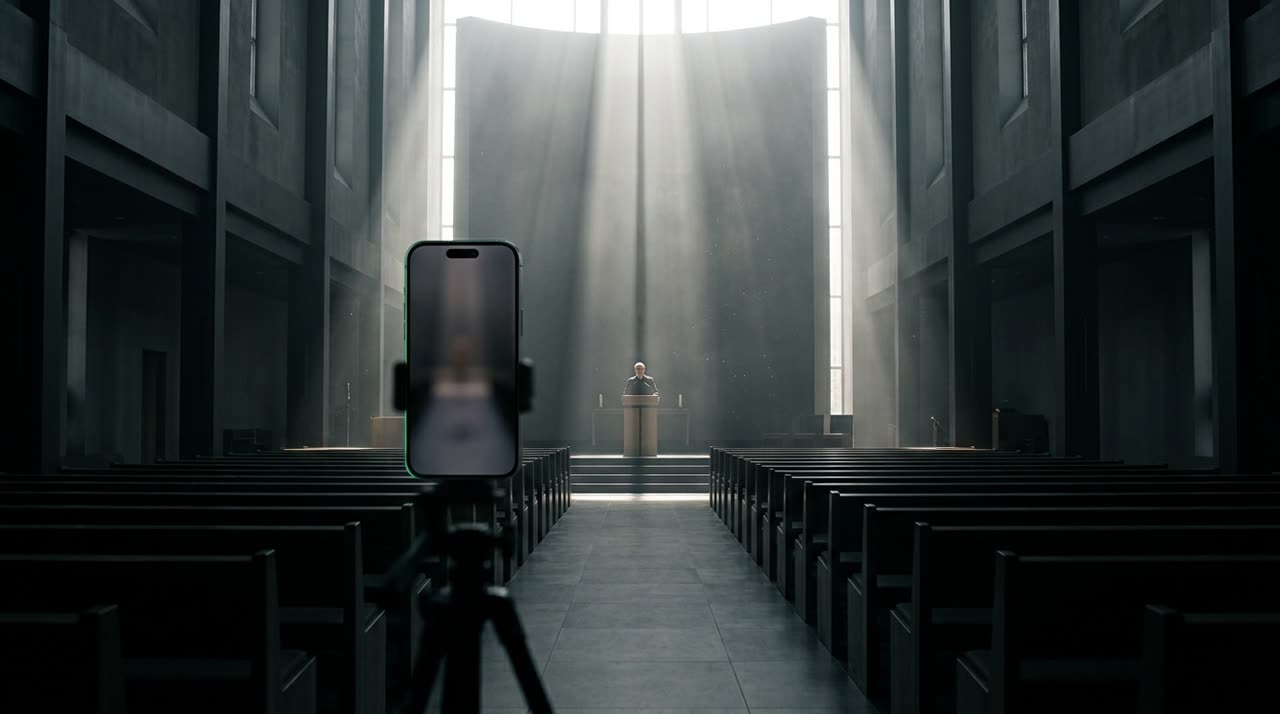
The Word Reaches More People in Reels
A two-hour service reaches those who attended and those who watch the VOD later—usually people who already go to the church. But a two-minute sermon clip, with captions and vertical format, reaches people who’ve never walked through those doors. That’s how the message travels further.
The usual problem: cutting the service manually is time-consuming, and church media teams are often small and volunteer-based. This guide shows how to turn sermons into Reels automatically, with church clips made by AI that knows the difference between preaching and worship.
Picotta Understands It’s a Service
The big difference here is that the studio classifies the video before cutting. When processing a service, Picotta detects the "church" genre on its own and adjusts the criteria: prioritizing the sermon and teaching, while avoiding loose liturgy and announcements. You don’t need to set anything up—just paste the service link and the studio knows what to look for.
The curation selects the best parts of the message by scoring each candidate: the opening hook, the turning point in the reasoning, whether the clip stands alone, and how impactful it is. Each clip comes with a visible score so the team can prioritize what to publish.
Worship Doesn’t Turn Into Karaoke Captions
Here’s a detail that makes all the difference for churches: a worship segment with karaoke-style captions and abrupt cuts ends up cluttered and disrespectful to the music. Picotta detects when a clip is worship and renders it without captions and without hard cuts, letting the song breathe. Responsive reading and litany aren’t mistaken for music. This kind of common sense is what a clipping studio needs to honor the content.
Reframe That Follows the Speaker
Church cameras usually film the pulpit from afar, sometimes with the speaker small in the frame. Picotta’s face reframe follows who’s preaching by reframing to vertical 9:16—and it’s smart enough to handle tricky cases:
- It follows the speaker even when they move around the stage.
- It ignores the sign language interpreter in the inset, so the camera doesn’t jump back and forth.
- When the speaker is far but steady, it uses framing that brings them closer instead of leaving them tiny.
The result is a clip where the speaker is framed and clear, even coming from a single camera way back in the sanctuary.
The Live Service Turns Into Clips Automatically
Most churches stream their services live on YouTube. In this case, the live monitor does it all: you register the church’s channel once, and when the service ends, Picotta detects the finish, analyzes the best moments of the message, and queues the clips. The media team gets a WhatsApp notification when they’re ready.
And it’s affordable: the peak engine analyzes only the relevant windows of a long service, so you pay for the minutes that matter, not the full two hours. We explain the full workflow in how to turn a full live stream into Reels and Shorts.
Each Clip Ready to Post
Each sermon clip comes with:
- Word-by-word synchronized captions—essential since many watch muted.
- Title and description with the message topic and niche hashtags, with tabs for each platform.
- Optional post theme, with the church’s name and @ handle on the clip, keeping the visual identity.
You can save a template with the church’s standard style and apply it to all clips, keeping the feed consistent week after week.
A Small Media Team Can Handle It
Church media teams are often volunteer-based and small. Editing clip by clip isn’t realistic for those also running cameras, sound, and streaming on Sundays. That’s exactly why automation matters: instead of blocking hours on Monday to cut the service, the team reviews what Picotta already clipped and publishes.
In practice, the human work becomes what only humans do well: choosing which message resonates most that week, writing a thoughtful post caption, deciding the posting order. The cutting, speaker framing, and on-screen captions—the mechanical, time-consuming part—are handled by the studio. And since each clip already has the church’s theme applied, the feed keeps its identity without anyone opening an image editor.
Step-by-Step for the Media Team
- Register the church’s channel in the live monitor (or paste the link of a recorded service).
- Leave it on recommended mode—the studio detects it’s a service and prioritizes the sermon automatically.
- When the stream ends, the clips arrive ready: reframed on the speaker, captioned, with worship preserved without captions.
- Review by score, apply the church theme, and publish.
Conclusion
Sunday’s sermon can reach far more people than those who attended—if it moves beyond VOD and becomes Reels. With automatic church clips, Picotta understands it’s a service, follows the speaker, preserves worship, and delivers the message ready to post, charging only for the minutes that matter.
Take the Word further: start clipping for free, check out the church solutions page, or see the plans with live monitor.
Pronto pra picotar o seu próximo vídeo?
Cole o link e receba cortes prontos pra postar. Grátis pra testar.
Comece a picotar →Sem cartão de crédito. Cancele quando quiser.