Live Clips for Pastors and Ministries
The service ends and the clips are ready. How pastors and ministries turn live sermons into Reels and Shorts without editing.
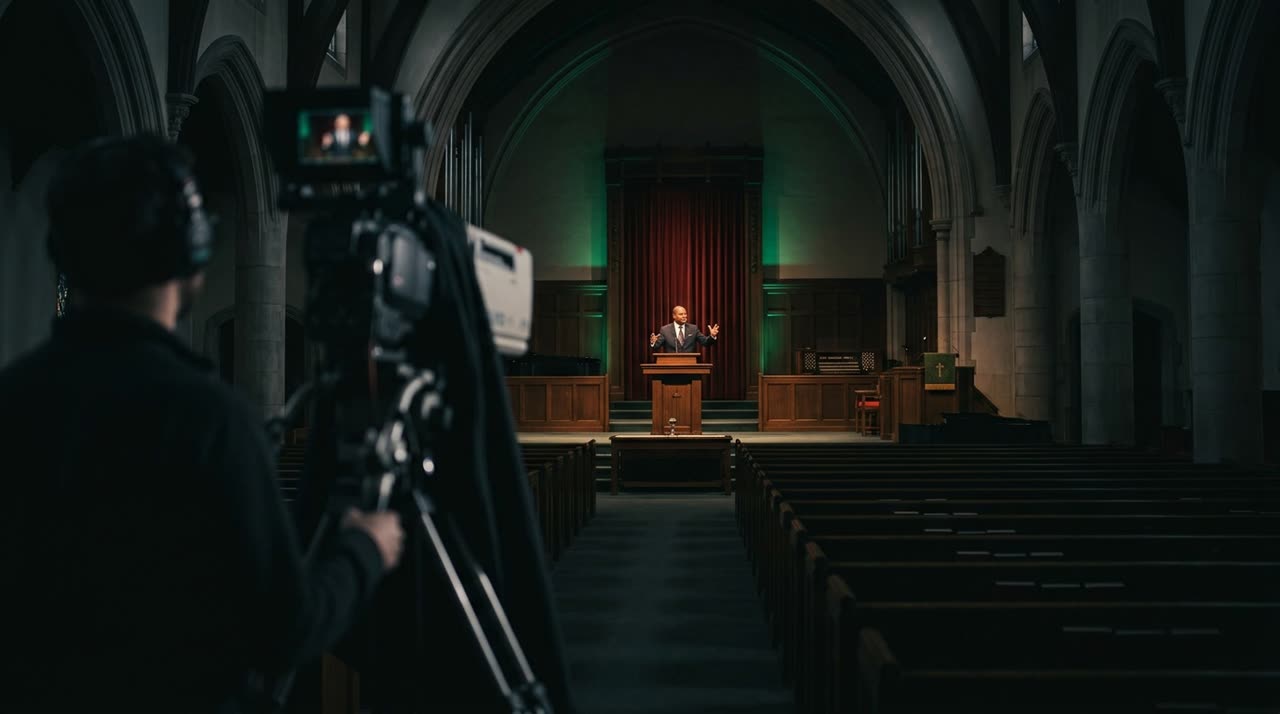
Live Clips for Pastors: Sermons in Reels Without Staying Up Late
The service is over, the live stream ended, and everyone went to sleep. That’s exactly when most ministries lose their best content of the week: the message that moved the congregation gets stuck in a two-hour broadcast no one will watch from start to finish.
Live clips for pastors exist to fix this. Instead of someone downloading the recording the next day, searching for the best parts, and editing each one, the clip studio does the heavy lifting. At Picotta, this is handled by the Live Monitor: it watches the ministry’s channel and the moment the live ends, it starts chopping the sermon into Reels, Shorts, and TikTok clips.
Why the Full Live Stream Isn’t Enough
A service broadcast is naturally long — worship, announcements, prayer, sermon, ministry. All of this has value inside the church, but on social media, behavior is different:
- People scroll through feeds in seconds and decide within 3 seconds if they’ll stay.
- A 40-second clip with a strong sermon point travels much farther than a two-hour video.
- Instagram, TikTok, and YouTube Shorts algorithms reward short vertical formats.
The problem was never the message. It was the format and the time people don’t have after the service. This bottleneck is what automatic clips eliminate.
How the Live Monitor Works
The Live Monitor makes sermon clipping practically effortless for ministries:
- You register the ministry’s YouTube (or Twitch/Kick) channel once.
- Picotta monitors the channel and detects when the live starts and ends.
- As soon as the live service ends, the recording enters the queue and the studio starts cutting automatically.
- You get a WhatsApp notification when the clips are ready on the dashboard.
In other words: no one in the ministry has to remember anything. The pastor preaches, the media team rests, and the next day the clips are ready to post.
Genre and Worship Detection
Picotta understands that a church live stream isn’t a podcast. The curation detects the church context and prioritizes the sermon — moments of teaching, exhortation, and message turning points — instead of repeated liturgy. When the clip is worship singing, it’s cut without karaoke-style captions or abrupt cuts, because chopping a song mid-way would ruin it. These details separate a clip that respects the service from a generic cut.
What Makes a Sermon Clip Work
It’s not enough to just cut into pieces. A good service clip needs to hook viewers in the first seconds and deliver a complete point. Picotta handles this automatically:
| Feature | What It Does for the Sermon |
|---|---|
| Face Reframe | The 9:16 video follows the pastor speaking, even when the pulpit camera is far away. No cropped faces or off-center framing. |
| Clean Cuts | Removes long pauses and silences, keeping the speech flowing — the clip "moves" instead of dragging. |
| Auto Captions | Captions the message word for word, essential for viewers watching without sound in the feed. |
| Hook and Clip Score | Highlights the opening phrase and rates each clip’s potential, so you can post the strongest ones first. |
| Ministry Branding | Adds the church’s name and identity to the clip, with ready-made post themes. |
If you want to dive deeper into what makes a clip hold attention, check out how to make viral clips — the same principles of hook, payoff, and rhythm apply to sermons.
Picotta vs Other Tools: An Honest Comparison
Tools like OpusClip, Klap, and Vizard are solid and helped grow this market. They have mature features and large communities. No point pretending otherwise. Where Picotta stands out for Brazilian ministries:
- Pricing in Brazilian Real, on card. No dollar charges, no currency surprises at month’s end. For church finances, predictability matters.
- Live Monitor. Not every tool cuts the live stream automatically as soon as it ends. For ministries streaming weekly services, this is the difference between posting the next day or never.
- Face reframe and clean cuts designed for real stage video, not just studio recordings.
- No "AI look." Clips come out clean, branded with the ministry’s identity, without that artificial vibe that screams "no editor involved."
For a broader comparison, we have an overview of the best AI clip generators in 2026 and a direct comparison in Cut.Pro vs Picotta. Honest reads with strengths and limits of each.
A Content Workflow the Church Can Keep Up With
The biggest enemy of a ministry’s digital presence isn’t lack of message — it’s inconsistency. One week there are clips, three weeks there aren’t. With the Live Monitor, every live service automatically becomes a batch of clips, and the media team stops being a bottleneck.
A realistic way to start:
- Register the ministry’s channel in the Live Monitor.
- Let Picotta cut the next service on its own.
- The next day, pick the 3 or 4 highest-rated clips and schedule them for the week.
- Repeat. In a month, you’ll have a library of sermon clips without opening an editor.
Ministries serving multiple churches or managing media for several pastors can scale this even more — check how agencies do it in solutions for agencies and how spoken content creators organize clips in solutions for podcasters. If the church also streams on Twitch or does lives outside of services, the solutions for streamers page shows the same Monitor applied in another context.
Conclusion: The Message Deserves to Reach More
Sunday’s sermon can touch someone on Tuesday, Thursday, or Saturday night — but only if it leaves the two-hour broadcast and reaches feeds as clips. Live clips for pastors aren’t about "producing content": they’re about not letting the message die inside the service video.
Picotta handles the technical side so the ministry can focus on the message. You preach, the Live Monitor cuts, and the next day the sermon is ready to reach more people.
Start clipping and let the next service turn into clips automatically. See plans at pricing or explore the blog for more content ideas.
Pronto pra picotar o seu próximo vídeo?
Cole o link e receba cortes prontos pra postar. Grátis pra testar.
Comece a picotar →Sem cartão de crédito. Cancele quando quiser.