Video Clips for E-commerce and Online Stores
Long product and review videos become short Reels that sell. Learn how to cut your catalog into content that converts.
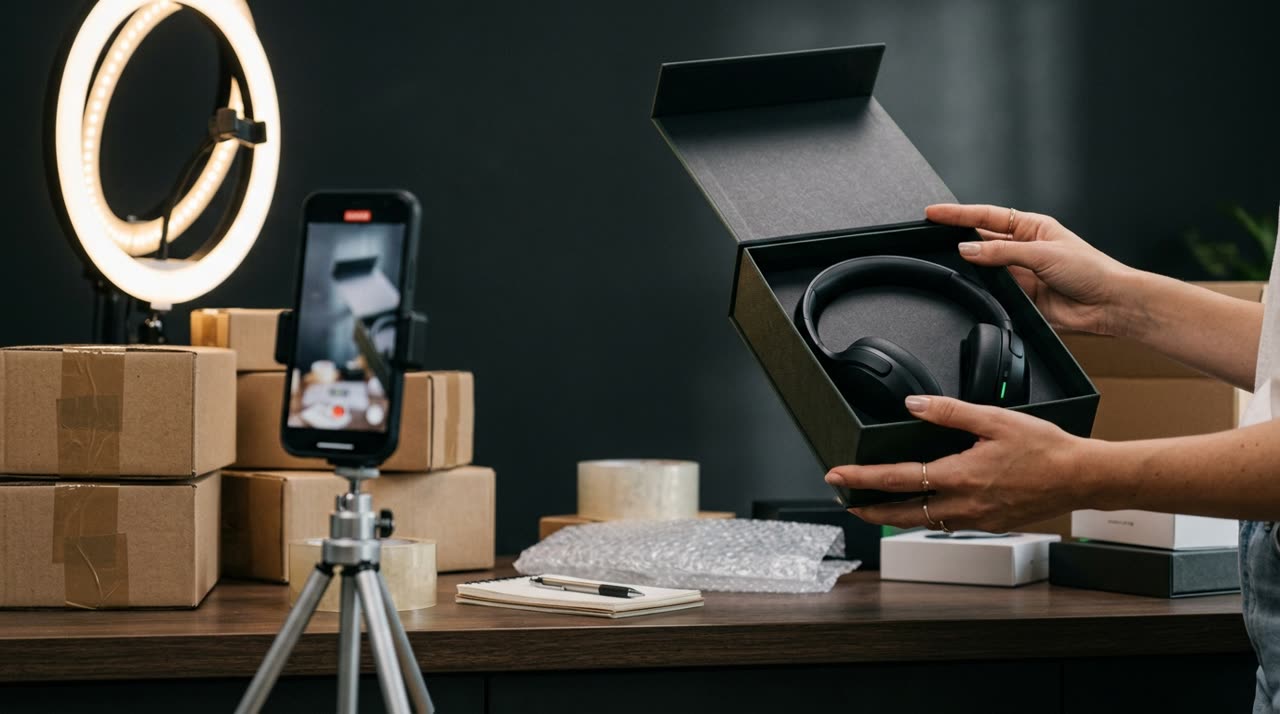
Video Clips for E-commerce: From Catalog to Reels That Sell
Online stores that get noticed, sell. And today, those who get noticed post short videos every day — on TikTok, Reels, Shorts. The problem is most stores already have tons of unused video content: unboxings, product demos, sales lives, customer reviews, supplier videos. What’s missing is turning that into short, vertical clips that hook viewers in the first seconds. That’s exactly where video clips for ecommerce come in: taking your existing long videos and cutting them into multiple ready-to-post Reels.
In this guide, I’ll show how a clipping studio like Picotta fits into an online store’s routine — no video editor needed, no late nights on the timeline.
Why Short Video Converts in E-commerce
Vertical videos from 15 to 60 seconds have become the internet’s storefront. They work for stores for three practical reasons:
- Show the product in use, not just a still catalog photo. Movement creates desire.
- Fit discovery feeds (TikTok "For You", Reels, Shorts), where new customers find you.
- Cheap to produce at scale when you repurpose existing footage.
The bottleneck has never been recording. It’s editing. A one-hour sales live or a ten-minute review needs to become ten or twenty clips — and no one has the energy to do that manually every week.
What You Can Clip from an Online Store
Almost everything you record can become a clip. The formats that yield the most:
| Video Source | Becomes a clip of... |
|---|---|
| Sales live / live shopping | Best deals, product demos |
| Unboxing and review | The "wow" moment, before and after |
| Demo video | One benefit per clip |
| Customer testimonial | 20-second social proof |
| Behind the scenes / packing orders | Trust and brand humanization |
The rule is simple: one clip, one idea. One benefit, one offer, one moment. Trying to say everything in one video loses attention.
How Picotta Cuts Product Videos (In Practice)
You upload the long video (or paste a YouTube link, for example), and Picotta does the heavy lifting:
- Transcribes and finds the best moments. The AI reads the whole video and selects the most promising parts — the hook, the turn, the payoff. You don’t have to watch everything to find the gold.
- Delivers multiple clips in 9:16, ready for Reels/TikTok/Shorts.
- Automatic captions synced with speech — essential since most watch without sound.
- Face reframe: when someone’s presenting the product, the clip follows their face instead of leaving them out of frame.
- Clean cuts: removes pauses and silences, keeping the video’s pace — the same pace that holds attention.
- Your branding on the video: logo, colors, and store name applied automatically.
If you want to fine-tune, you can edit each clip afterward — change captions, reposition, adjust the hook — without spending credits.
Adapting for Each Platform
A good clip works for TikTok, Reels, and Shorts, but each platform has its quirks. Picotta delivers in 9:16 with burned-in captions, and you post the same clip on all three, just changing the caption and hashtags per platform. We cover this more in the post TikTok, Reels, and Shorts: adapt your clips and the guide How to Make Viral Clips, useful for any niche — including stores.
Picotta vs. Other Clipping Tools
There are good AI clipping tools on the market — OpusClip, Vizard, Klap, Cut.Pro. They cut well and each has its strengths. We offer an honest comparison in the best AI clip generators and in Cut.Pro vs Picotta.
What Picotta brings differently, thinking about Brazilian stores:
- Pricing in Brazilian Real, on card. No dollars, no conversion, no surprise charges.
- Face reframe and clean cuts included, perfect when you appear demonstrating the product.
- Live monitor: if you do recurring live shopping, Picotta watches your channel and queues clips automatically when the live ends.
- No "AI look": clips come with your branding, not generic template styles.
We’re not saying others are bad — many are great. We’re just saying where Picotta makes more sense for sellers in Brazil.
A Sustainable Content Routine
The secret to e-commerce growth with video isn’t posting once. It’s having consistent volume. With a clipping studio, a weekly sales live becomes content for the whole month. One review becomes five clips. One unboxing becomes three.
If you serve other brands — social media managers, agencies — the logic scales: see how this works in clips for agencies and social media. And if your store also relies on content from creators and podcasters, the post automatic podcast clips helps you plan the workflow.
Want to recommend Picotta to other store owners and earn from it? Check out the affiliate program.
Start Clipping
Your store already has the videos. Now turn them into Reels that get noticed and sell. Choose a plan on our pricing page, upload a product video or an old live, and see how many clips come out. Then just post — every day.
Start clipping now and turn your video catalog into content that converts.
Pronto pra picotar o seu próximo vídeo?
Cole o link e receba cortes prontos pra postar. Grátis pra testar.
Comece a picotar →Sem cartão de crédito. Cancele quando quiser.