Video Clips for Musicians and Live Shows
Performance and behind-the-scenes moments become vertical clips ready to promote your music — no editor needed.
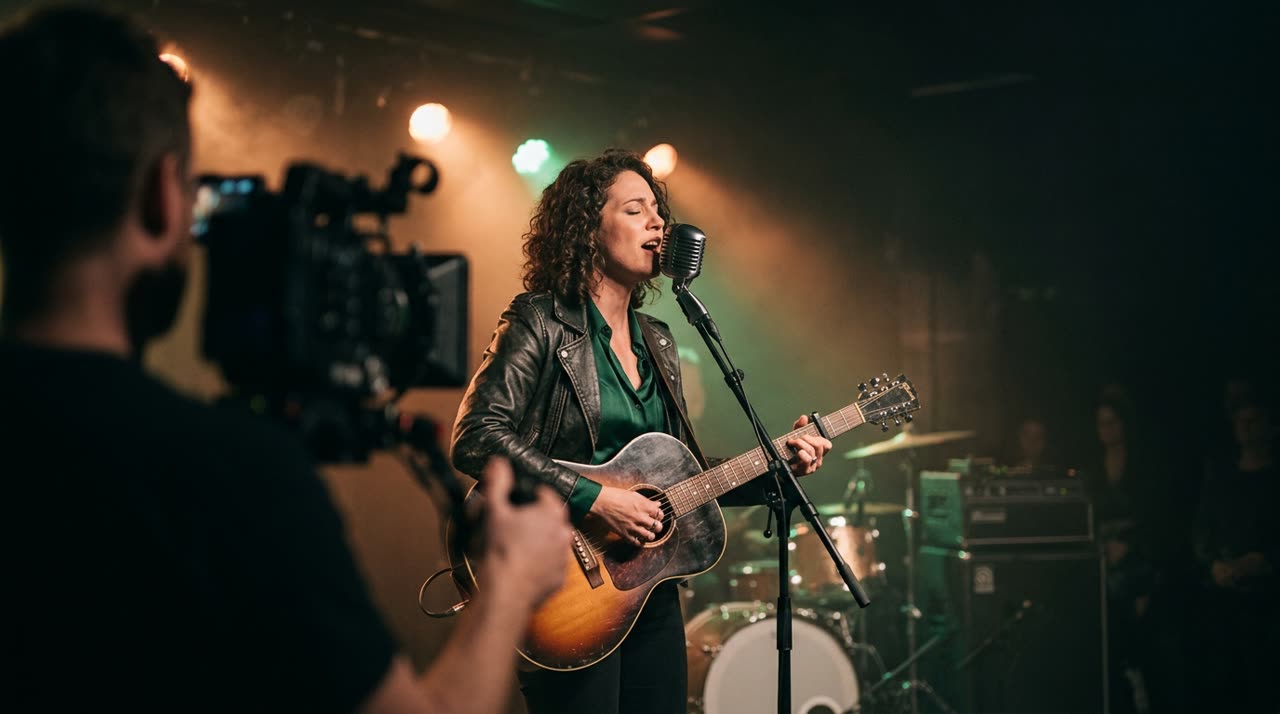
Video Clips for Musicians: Don’t Let Your Show Stay Locked Away
Every musician records more than they publish. On your memory card, there’s that chorus the crowd sang along to, the soundcheck that turned into a joke, the solo that came out better than in the studio. Video clips for musicians is exactly that: taking hours of shows, rehearsals, and behind-the-scenes footage and turning them into short vertical clips that fit perfectly on Reels, TikTok, and Shorts — the formats where people discover new music today.
The problem is editing all that manually eats up the time you’d rather spend composing or playing. That’s where a clip studio comes in: you upload the long video, AI finds the best moments, and returns several clips ready to post. In this guide, I’ll show what you can extract from a show and how Picotta handles it.
What Becomes a Clip in a Musician’s Life
It’s not just the music playing. The most engaging clips tend to be varied:
- Performance moments — the powerful chorus, the drop, the solo, the moment the audience takes over the lyrics.
- Behind the scenes — tuning, jokes between tracks, mistakes that became laughs, stage setup.
- Talking to the audience — the story behind the song, dedications, invites to the next show.
- Audience reactions — cameras pointed at the crowd singing usually perform well.
The logic is the same as content creators: hook in the first seconds, a climax, and a close. If you want to dive deeper into this, check out the guide on how to make viral clips — it explains hook, payoff, and pacing in a way that works directly for music.
How Picotta Cuts a Live Show
You upload the video (file or link) and the AI decides how many clips it yields (ranked by viral score) — or you can lock an exact number in Custom mode. From there:
- AI transcribes and analyzes the video to find the best moments.
- Each clip is output in 9:16, with automatic captions, in the style you choose.
- If you’ve registered your brand identity, the clip can come with a post theme (name, @, and badge) — ready for people to recognize the artist.
Some features are especially helpful for live shows:
Face Reframe
Shows are filmed wide, with the whole stage in frame. The automatic reframe zooms in on whoever is singing or speaking, so the 9:16 video follows the vocalist instead of leaving them tiny in the center. In scenes with two people in focus, it can stack both.
Jump Cuts
Rehearsals and behind-the-scenes have pauses, tuning, people standing still. The jump cuts remove silences and keep the clip moving — no dead time that makes viewers swipe to the next video.
Captions That Fit the Music
For spoken parts (song stories, audience chat), automatic captions grab attention. And when the clip is real singing, Picotta detects it’s music and doesn’t force karaoke-style captions — because chopped-up lyrics over jump cuts ruin the song.
What If You Do Many Shows? The Live Monitor
If you stream shows or worship live, there’s an extra challenge: the live ends and no one has the energy to rewatch 3 hours looking for clips. Picotta’s live monitor watches your YouTube, Twitch, or Kick channel and, when the stream ends, it queues up clips automatically — you get a WhatsApp alert when clips are ready. This automation makes sense for bands streaming weekly. It also works for those doing church clips, where live worship is part of the service.
Picotta vs. Alternatives: Where Each Shines
Foreign tools like OpusClip and Vizard are mature and do a good job — I won’t pretend otherwise. For a full overview, I put together a comparison of the best AI clip generators and an honest comparison with Cut.Pro. The summary for Brazilian musicians:
| What Matters | Foreign Tools | Picotta |
|---|---|---|
| Pricing | Dollars, sometimes only international cards | Brazilian real, local cards accepted |
| After the live | You download and upload manually | Monitor alerts and clips automatically |
| Framing | Face reframe | Face reframe + jump cuts |
| Clip style | Often "AI look" | No "AI look," with your branding |
Where Picotta stands out for musicians in Brazil is practical: you pay in real, on your card, no conversion or surprise on your bill; live streams turn into clips automatically; and clips come with your identity, not a generic generator look.
Step-by-Step to Start Today
- Register your brand (name, @, logo) so clips come out with your identity.
- Upload your show or rehearsal — direct file or YouTube/Vimeo link.
- Enable face reframe and jump cuts if it’s a wide shot — the AI decides how many clips come out, or you set a number in Custom mode.
- Download clips already in 9:16 and share on TikTok, Reels, and Shorts.
If you produce for other artists, you can scale this: see how agencies and social media managers use Picotta to deliver volume per client without hiring an editor per account. And if you like the tool, the affiliate program rewards referrals.
Conclusion
Your best promotional material is already recorded — it’s in last week’s show, yesterday’s rehearsal, the behind-the-scenes no one saw. Video clips for musicians is the way to get that out of the archive and in front of new people, in the format platforms push. With face reframe, jump cuts, live monitor, and local currency billing, Picotta fits right into the routine of musicians in Brazil.
Explore more ideas on the blog, check out the plans, and start clipping now: create your account and turn your next show into a week of content.
Pronto pra picotar o seu próximo vídeo?
Cole o link e receba cortes prontos pra postar. Grátis pra testar.
Comece a picotar →Sem cartão de crédito. Cancele quando quiser.