Video Clips for Personal Trainers and Gyms
Workouts, techniques, and fitness tips become short, recurring Reels. Learn how to clip your videos and keep your feed active.
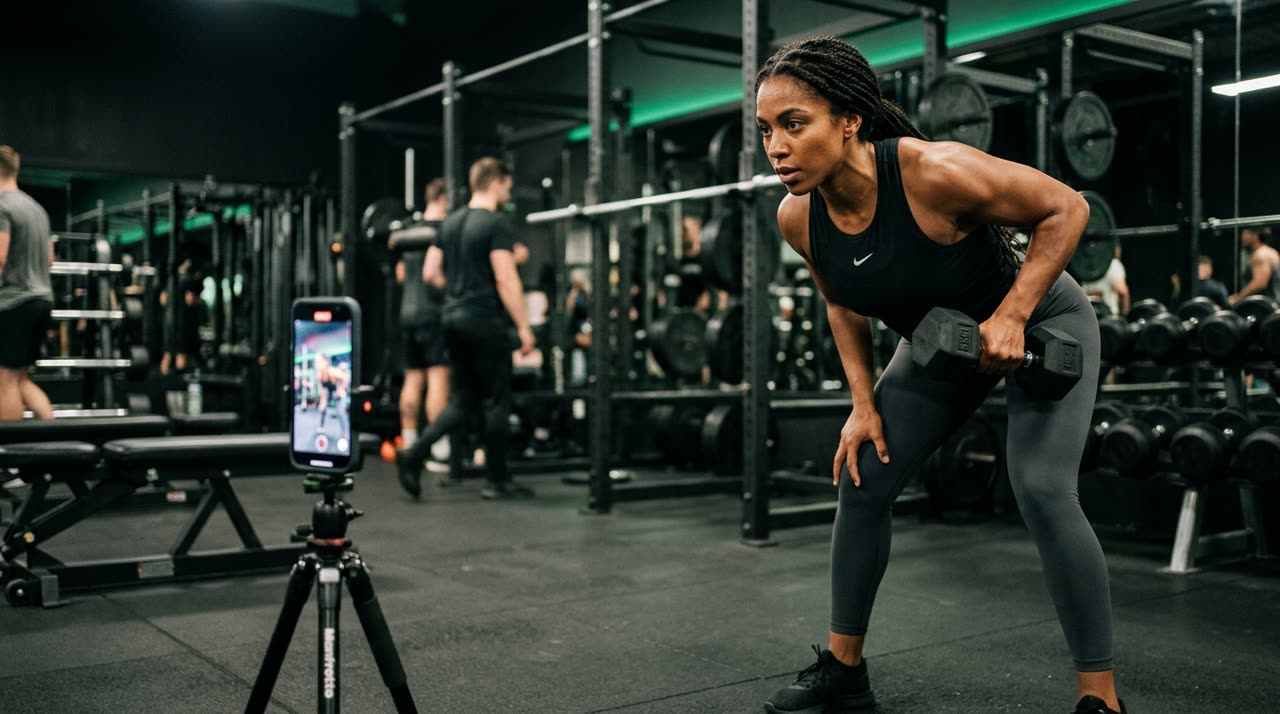
Video Clips for Personal Trainers and Gyms
If you’re a personal trainer or handle marketing for a gym, you know the feed demands content constantly. The good news is you’re already recording plenty of material — classes, exercise demos, quick tips between clients. The tedious part is turning that into short videos. That’s exactly where video clips for personal trainers come in: taking a long video and turning it into multiple Reels and Shorts ready to post, without spending hours editing.
In this guide, we show how workouts and fitness tips become short, recurring content, and how Picotta, our clipping studio, helps with the process.
Why Fitness Works So Well with Short Videos
Gym content has a natural advantage in vertical format: it’s visual, direct, and answers a specific question. Someone searching “how to squat without hurting your knee” wants 30 seconds, not 20 minutes.
The formats that work best:
- Exercise execution — the correct movement, common mistakes, corrections.
- Quick training tip — a technique, progression, or load adjustment.
- Myths and facts — debunking old gym beliefs.
- Behind the scenes and routine — the trainer’s own workout, a day at the gym.
- Nutrition and recovery — topics your audience frequently searches.
The problem is never a lack of topics. It’s volume: posting consistently requires a workflow that manual editing can’t sustain.
From One Recorded Workout to Multiple Reels
The traditional way is to record, load into an editor, manually find the best moments, cut, caption, and export — one by one. Picotta flips this: you upload the long video (or paste the link), and the studio transcribes, finds the best moments, and returns multiple 9:16 clips ready for Reels, TikTok, and Shorts.
What comes applied to each clip:
- Automatic captions synced, in the style you choose.
- Face reframe: the vertical framing follows whoever’s speaking, instead of cutting off the trainer’s head when they move around the gym.
- Clean cuts: pauses and silences are removed, so the tip flows naturally without dead air between sentences.
- Your branding in the header (name, @, avatar) to reinforce identity with every post.
For those who record standing and moving around the gym, face reframe makes a real difference — it’s the kind of detail that separates a well-framed clip from a video where the subject is out of frame.
A Content Workflow That Runs Itself
Consistency builds an audience. It’s worth setting up a simple routine:
| Video Source | What to Clip | Suggested Frequency |
|---|---|---|
| Guided class or workout | Executions and corrections | 3-5 clips per recording |
| Live streams or long stories | Tips and answers to questions | as volume allows |
| Fitness podcasts/interviews | Moments with strong hooks | 5-10 clips per episode |
If you do live workouts or stream classes, Picotta’s live monitor watches your channel and, when the stream ends, queues clips automatically — you wake up to the best moments ready. To understand this logic better, check out our pages for streamers and podcasters, which apply the same principle to other niches.
Scaling for Multiple Clients
If you manage content for several trainers or a gym chain, volume grows fast. The approach used by agencies and social media managers fits well: one long video per client turns into a week’s worth of posts, with each brand applied automatically.
How to Choose the Right Tool
There are good options on the market. OpusClip is robust and popular; Cut.Pro is strong with Brazilian users. It’s fair to say these tools handle the basics well. Where Picotta stands out for fitness pros in Brazil:
- Pricing in Brazilian Real, on card — no dollar conversion or surprises at month’s end.
- Face reframe that follows the trainer in motion, not just a fixed center crop.
- True clean cuts, removing silences so tips flow naturally.
- Live monitor for those streaming classes.
- Visuals without an "AI look": clean clips with your branding, not generic templates.
If you want to dive deeper into comparisons, we have two useful resources: the best AI clip generators in 2026 and an honest comparison between Cut.Pro and Picotta.
Tips to Make Your Fitness Clips Perform
A good tool helps, but content still rules. Some points that apply to any niche, fitness included:
- Hook in the first 3 seconds — start with the pain or promise ("your squat hurts because of this").
- One topic per clip — don’t try to teach an entire leg workout in 40 seconds.
- Always caption — many watch without sound at the gym or on the bus.
- Clear payoff — deliver the answer, not just suspense.
To go deeper into clip structure, see our guide on how to make viral clips, which details hook, payoff, and pacing.
Start Clipping
Personal trainers and gyms already have the hardest part: knowledge and recordings. What’s missing is turning that into short, consistent posts — and that part no longer needs to steal your nights. Upload a workout, let the studio find the best moments, and keep your feed alive with video clips for personal trainers designed to stand out.
Check out our plans and pricing, explore other use cases on the blog, and when you’re ready to try, start clipping — the free plan already delivers clips with captions and reframe so you can see the results.
Pronto pra picotar o seu próximo vídeo?
Cole o link e receba cortes prontos pra postar. Grátis pra testar.
Comece a picotar →Sem cartão de crédito. Cancele quando quiser.