Automatic Cuts for Podcasters: Turning Episodes into Viral Clips
A podcast episode hides dozens of clips. See how to slice three hours of conversation into ready-to-post clips for Reels, TikTok, and Shorts.
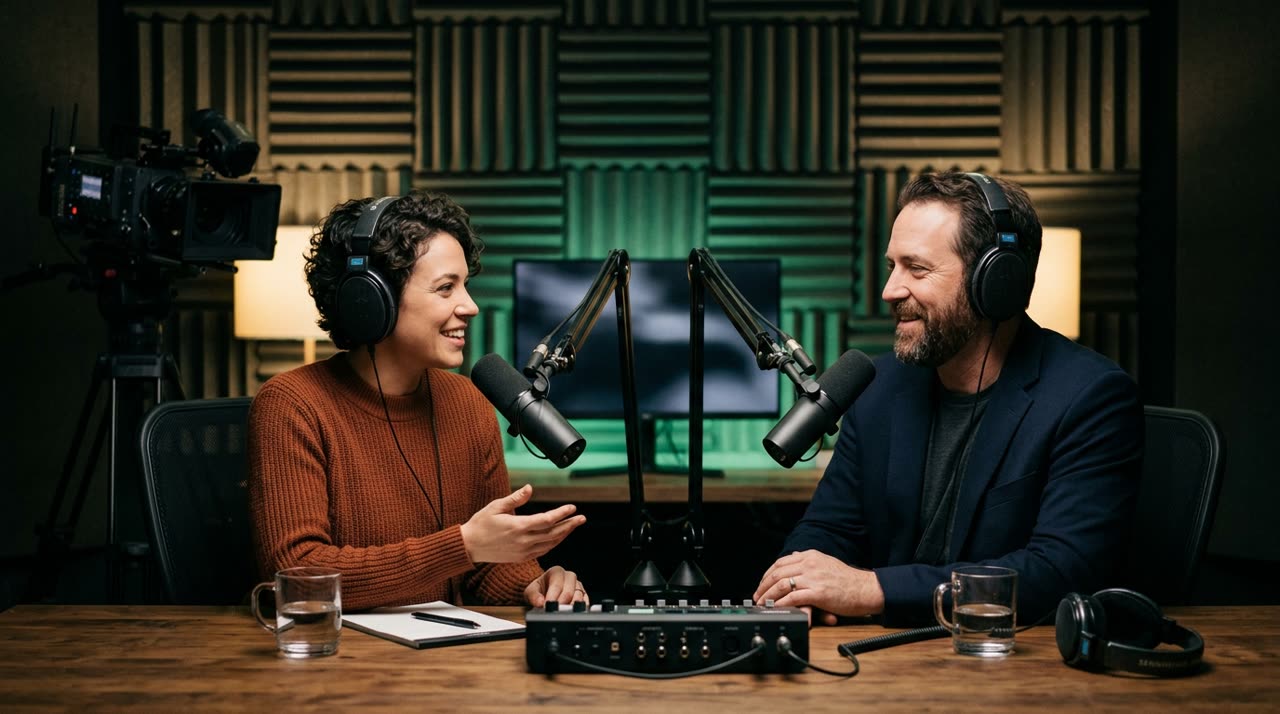
Video Cuts for Podcasters: Turn the Entire Episode into Content
You record two or three hours of great conversation. Then the episode goes live on Spotify and YouTube, gains loyal listeners — and stops there. What fills feeds, attracts new people, and gets the algorithm working are video cuts for podcasters: those 30 to 90-second vertical clips with a hook in the first sentence and captions that grab attention. The problem was never the lack of material. It’s the time it takes to hunt for the best moments in a long recording and cut each one by hand.
That’s exactly the job an automatic clipping studio handles. You upload the episode, AI transcribes it, finds the most promising parts, and returns several ready-to-post clips. What used to take a whole afternoon of editing now takes minutes.
Why Long-Form Needs Cuts
A podcast episode is dense and lengthy — great for existing followers, not so much for discovery. A short clip, on the other hand:
- Fits vertical screens on TikTok, Reels, and Shorts, where distribution favors newcomers.
- Delivers a complete idea in seconds, no episode context needed.
- Multiplies your output: one episode can easily produce ten, fifteen, or twenty clips throughout the week.
It’s not about waiting to go viral. It’s about keeping your channel active without turning every episode into a second round of editing.
What Makes a Good Podcast Clip
Before talking tools, it’s worth remembering what separates a clip that keeps viewers watching from one that gets skipped. We cover this in detail in our guide on how to make viral cuts, but here’s the podcast summary:
- Hook in the first three seconds. The opening line needs to spark curiosity or tension. Starting mid-explanation kills the clip.
- Payoff within the clip. The moment has to stand on its own — question and answer, twist, conclusion. Cutting before the payoff is the most common mistake.
- Tight pacing. Podcasts have pauses, "uh...", thinking silences. In clips, these kill retention.
- Readability. Many watch without sound. Clear captions aren’t decoration, they’re essential.
How Picotta Handles Podcast Episodes
At Picotta, the workflow is designed for those with long recordings and little time. Some features that make a difference for your niche:
Face Reframe (who’s speaking stays visible)
Podcasts usually have two or more people on screen. The automatic reframe follows the speaker’s face in the 9:16 frame instead of a fixed center crop that cuts heads or leaves empty space. When two people share a wide shot, the clip can stack both on screen. This avoids vertical clips where no one is centered.
Tight Cuts (removes pauses and "uh...")
Free-flowing conversation breathes a lot. The tight cuts feature removes pauses and silences when generating clips, tightening the pace without you opening a timeline. The clip feels faster, denser, and more watchable.
Automatic Captions That Match the Clip
Captions come transcribed and synced, with ready-made styles (word-by-word, one or two lines, karaoke). You pick the look and Picotta applies it to all episode clips.
Ready Titles, Captions, and Hashtags
Each clip returns with AI-suggested titles, captions, and niche hashtags — the full posting kit, with tabs for each platform (TikTok, Instagram, Shorts). One less step between creating and publishing.
Live Monitor (for live recordings)
If you stream your episode live before publishing, the live monitor watches your YouTube, Twitch, or Kick channel and queues clips as soon as the stream ends. You open the dashboard and the clips are ready. A feature not every clipping studio offers.
Honest Comparison with Competitors
Tools like OpusClip, Vizard, and Klap do solid work and were pioneers in this space — no point pretending otherwise. If you already use one and are happy, great. Where Picotta stands out for podcasters in Brazil:
| Feature | Global Competitors | Picotta |
|---|---|---|
| Pricing and payment | Charged in USD, international focus | Priced in BRL, Brazilian cards accepted |
| Tight cuts on generation | Not always available | Built-in, during clip creation |
| Reframe following speaker | Varies by plan | Included, with two-person stacking |
| Live monitor | Rare | Yes (YouTube/Twitch/Kick) |
| Clip visuals | Sometimes "AI-looking" | No glow or generic templates |
We made a more detailed comparison in AI clip generators comparison, and a direct analysis against a Brazilian competitor in Cut.Pro vs Picotta. The goal is to show each tool’s strengths and where Picotta fits best.
How Much Content Can You Get from One Episode
It depends on the conversation, but the logic is simple: billing is by minute of video processed, not by clip. So you can request more clips from the same episode without costs skyrocketing. A two-hour episode with good exchanges usually yields plenty of material to fuel a full week of posts.
If you produce for multiple shows — like an agency or social media manager — you can standardize styles per client with saved templates. Check out agency solutions, and if your job is specifically cutting podcasts, the podcaster solutions page.
A Workflow That Fits Your Routine
The practical steps:
- Upload the episode (file or YouTube link).
- Choose your brand and caption style.
- Let AI find the moments — or select specific parts.
- Receive ready clips, with reframe, captions, and posting kit.
- Download and publish wherever you want.
No timeline, no half-hour renders, no scrubbing through three hours to find "the best moment."
Conclusion
Every podcast episode already contains dozens of clips — they’re just trapped inside hours of conversation. A clipping studio pulls that material out and returns it ready for Reels, TikTok, and Shorts, with hooks, tight pacing, and captions. Doing this with pricing in BRL, face reframe, and live monitoring, Picotta fits especially well with the Brazilian way of producing podcasts.
Want to see how it works with your episode? Start clipping and turn your next recording into a week’s worth of content. If you want to dive deeper first, the Picotta blog has complete guides.
Pronto pra picotar o seu próximo vídeo?
Cole o link e receba cortes prontos pra postar. Grátis pra testar.
Comece a picotar →Sem cartão de crédito. Cancele quando quiser.