Clips with Captions and App in 3 Languages (PT, EN, and ES)
App available in Portuguese, English, and Spanish, with automatic captions and per-clip translation so you can connect with Brazil and the world.
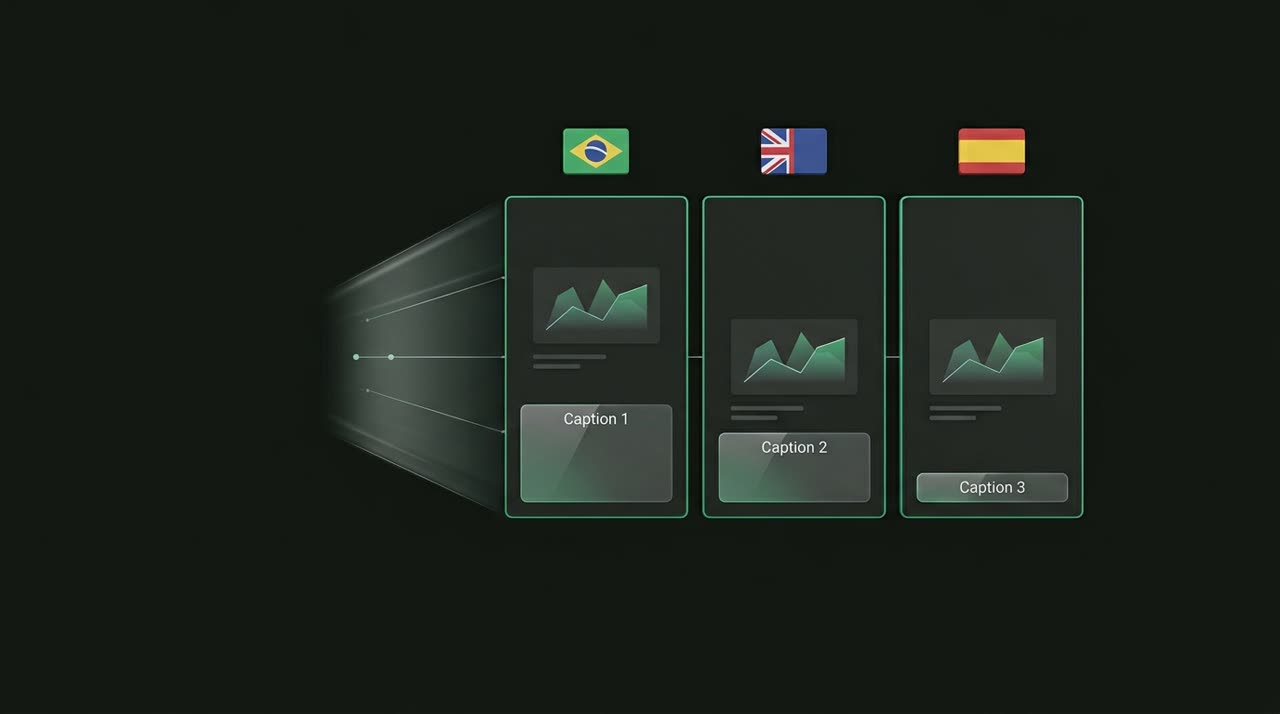
Clips with Captions in Three Languages: Reach Beyond Portuguese
Content creators today don’t post just for their neighborhood. A good clip can show up in someone’s feed in São Paulo, Mexico City, or Miami all on the same day. That’s why Picotta was designed as a trilingual clip studio: clips with captions in three languages — Portuguese, English, and Spanish — with the entire app in the editor’s language and captions you can translate clip by clip.
This isn’t marketing hype. It’s how the product really works. Let’s see what’s ready and how to use it.
The Entire App in PT, EN, and ES
Picotta detects your browser language on your first visit, and you can switch anytime using the flags in the navigation. Your choice is saved to your account and follows you across devices — open it on your phone in Spanish, and your computer will open in Spanish too.
This applies to everything outside the admin panel: landing page, signup and login, solution pages, pricing, editor, Studio, branding, credits, and account. If you serve clients who don’t speak Portuguese, you can give them access without language barriers.
- Portuguese (PT-BR) — main market, focused on creators in Brazil.
- English (EN) — for those producing global content or with partners/editors abroad.
- Spanish (ES) — all of Latin America, Brazil’s largest neighboring audience.
Automatic Captions: Clips Come Captioned
Every clip from Picotta can include automatic captions synced to the audio. The transcription runs on the server, and you pick the style before generating: several caption styles (impact, yellow, karaoke, neon, and more), with layouts for word-by-word, one line, or two lines. You can adjust height, color, and entrance animation.
The key strength is that captions are faithful to the speech and highlight each word at the right pace — the karaoke effect that grabs attention in the first seconds. If something isn’t quite right, the editor lets you correct the caption text without using extra credits.
Dry Cuts Enhance Captions
When you enable dry cuts, Picotta removes pauses and silences from the clip. The result is a faster clip, and the captions follow this compressed timing perfectly. Clean speech, no "uhhh" in the middle, captions matching exactly.
Caption Translation Per Clip
Here’s the feature that opens the world: inside the Studio editor, you can translate a clip’s captions into PT, EN, or ES. The translation swaps the text blocks while keeping the timing of each word — so the sync stays intact, only the language changes.
In practice, this means you can take the same clip and publish:
| Version | Caption Language | Audience |
|---|---|---|
| Original | Portuguese | Brazil |
| Translated | English | Global feed, USA/Europe |
| Translated | Spanish | Latin America, Spain |
You record once and reach three audiences, each reading in their language. For those making clips for podcasters or clips for agencies with clients wanting international reach, it’s the difference between one post and three.
Why This Matters for Reach
Captions have moved from accessibility to retention drivers — most watch without sound. Now add the right language: a Spanish-captioned clip spreads freely in LATAM; the same clip in English gets global recommendations. Clips with captions in three languages aren’t just decoration, they’re distribution.
And the best part is you don’t have to become a professional caption editor. Picotta transcribes, you tweak if needed, translate with one click, and download.
How It Compares
Tools like OpusClip, Vizard, and Klap have strong automatic captions and support many transcription languages — credit where it’s due. Where Picotta stands out for creators in Brazil:
- Pricing in Brazilian real, on local cards — no dollar conversion, no surprises at month’s end.
- Truly trilingual app — not just captions, the entire interface in PT/EN/ES.
- Face reframe — 9:16 clips follow the speaker, not a fixed center.
- Live monitor — Picotta watches your channels and clips the live stream automatically when it ends.
- Dry cuts — pauses removed during generation, not just in a separate editor.
- No "AI look" — clean, sober design without that over-the-top robot-generated site feel.
If you want a detailed comparison, check out our best AI clip generators of 2026 comparison and Cut.Pro vs Picotta side by side.
Complete Workflow, from Video to Translated Captions
- Upload your video or paste the link in the studio.
- Choose caption style, aspect ratio, and whether you want dry cuts and face reframe.
- Picotta transcribes, finds the best moments, and delivers captioned clips.
- In the Studio editor, adjust text if needed and translate captions to EN or ES.
- Download each version and publish for each audience.
We recommend reading our guide on how to make viral clips to nail the hook before translating — a good clip in three languages is worth three.
Who It’s For
Streamers, podcasters, churches, and agencies benefit when the same content speaks to more people. See the pages for clips for streamers, clips for churches, clips for podcasters, and clips for agencies — each profile uses trilingual captions differently.
Conclusion
Clips with captions in three languages are no longer expensive studio work. With Picotta, the app speaks PT, EN, and ES, captions come out automatic and faithful to speech, and per-clip translation lets you publish the same moment to three audiences without re-recording.
Choose your plan on the pricing page, or join the affiliate program: refer new users and earn a cash commission (via Pix) when they subscribe. Explore more features on the blog.
Start clipping now: create your account and try captions in three languages on your next video.
Pronto pra picotar o seu próximo vídeo?
Cole o link e receba cortes prontos pra postar. Grátis pra testar.
Comece a picotar →Sem cartão de crédito. Cancele quando quiser.